How to Check a Used iPhone Before Buying in 2026: Battery, Face ID, iCloud, Repairs and Hidden Risks
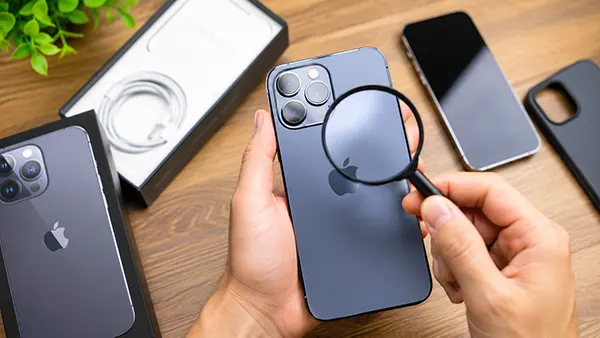
Buying a used iPhone can be a practical way to save money while still getting access to Apple’s ecosystem. However, second-hand devices often come with risks that are not immediately visible during a quick inspection. A phone may look almost new while hiding battery degradation, unauthorised repairs, activation locks, damaged components or hardware issues that only appear after several days of use. In 2026, Apple provides more diagnostic information than ever before, making it easier for buyers to evaluate a device before completing a purchase. Knowing what to check can help avoid expensive mistakes and ensure that the iPhone remains reliable long after the transaction is finished.
Verify the Device Identity and iCloud Status
The first step is confirming that the iPhone is genuinely owned by the seller and is not linked to another Apple account. Open Settings and check whether the device is signed out of iCloud. If the seller is still logged in, ask them to remove the account completely through Settings before payment is made. An iPhone connected to someone else’s Apple ID can become unusable if Activation Lock remains enabled.
You should also compare the serial number and IMEI displayed in Settings with the numbers shown on the original box, if available. The serial number can be entered on Apple’s official coverage website to verify the model, warranty status and authenticity. Mismatched numbers may indicate that parts have been replaced or that the device has a questionable history.
Another useful check involves confirming whether the phone has been reported as lost or stolen. Many mobile operators and IMEI databases allow buyers to verify a device’s status before purchase. If a seller refuses to provide the IMEI number in advance, that should be treated as a warning sign.
Questions to Ask the Seller Before Inspection
Ask how long the seller has owned the iPhone and whether they are the original purchaser. A clear ownership history generally reduces the likelihood of future complications related to account locks or disputed ownership.
Request information about repairs, battery replacements and screen replacements. Honest sellers usually have receipts or service records, particularly when repairs were performed by Apple or an authorised service provider.
It is also worth asking why the device is being sold. While many people upgrade to a newer model, vague or inconsistent explanations can sometimes indicate hidden problems that the seller prefers not to discuss.
Check Battery Health, Face ID and Core Hardware
Battery condition remains one of the most important factors when evaluating a used iPhone. In Settings under Battery Health, review the maximum capacity percentage. A battery showing 90% or higher is generally in good condition. Devices below 80% may soon require replacement, which adds extra ownership costs.
Face ID should be tested thoroughly. Lock the device, then unlock it several times under different lighting conditions. Face ID failures can be caused by damage to the TrueDepth camera system, and repairs are often expensive because several components work together as a security system.
Inspect the display carefully. Look for dead pixels, brightness inconsistencies, touch response issues and signs of screen replacement. Apple now provides Parts and Service History information on many models, allowing buyers to see whether key components such as the display, battery or camera have been replaced.
Hardware Tests That Take Only a Few Minutes
Open the Camera application and test every available lens. Take photos and videos, switch between cameras and verify that autofocus works correctly. Blurred images or unusual noises can indicate hardware issues.
Test all physical buttons, including the power button, volume controls and Action Button on supported models. Each button should respond consistently without requiring excessive pressure.
Play audio through both speakers and make a test call if possible. Poor sound quality, distorted audio or microphone problems may suggest previous water exposure or internal damage that is not immediately visible.
Identify Repairs, Water Damage and Hidden Risks
Many used iPhones have undergone repairs, but not all repairs are equal. Apple’s Parts and Service History section can help identify whether major components were replaced and whether recognised parts were used. Non-genuine parts may affect performance, battery reporting, camera functions and future servicing options.
Physical inspection is equally important. Examine the frame, screws and display edges. Uneven gaps, damaged screw heads or traces of adhesive can suggest that the device has been opened. While this does not automatically indicate a problem, it should encourage more careful testing.
Water damage remains one of the most difficult issues to detect. Liquid contact indicators located inside the SIM tray area can provide useful information. If these indicators appear red rather than white or silver, the device may have experienced liquid exposure in the past.
Final Checks Before Completing the Purchase
Perform a complete restart and ensure that the iPhone boots normally without warnings or unexpected error messages. Slow startup behaviour can sometimes indicate software or storage issues.
Connect the device to Wi-Fi, test Bluetooth pairing and verify mobile network connectivity. Modern smartphones rely on multiple wireless systems, and faults in these areas can be expensive to repair.
Before handing over payment, confirm that the iPhone has been erased correctly and is displaying the initial setup screen. If the setup process proceeds without requesting another person’s Apple ID credentials, and all hardware tests have been completed successfully, the device is far more likely to be a safe purchase in 2026.