Energy Saving in iOS 19: Practical Methods to Preserve Resources on iPhone and iPad
iOS 19 introduces several refined power-management tools that help users extend battery life without compromising daily performance. These improvements are particularly noticeable on the latest models of iPhone and iPad, where system-level efficiency and adaptive technologies actively optimise resource consumption. Understanding how these functions work allows users to tune their devices more precisely and maintain stable operation throughout the day.
Enhanced Power Management Features in iOS 19
Apple has reworked background activity control in iOS 19, reducing unnecessary system processes during periods of low usage. The operating system evaluates app behaviour, limits repeated refresh cycles and pauses non-essential updates when the device remains idle. These adjustments allow the device to maintain responsiveness while avoiding the drain caused by constant background actions.
The system also includes refined thermal management tools. When the device approaches temperature thresholds, iOS 19 automatically slows certain background tasks and adjusts frame rates in graphics-heavy processes. These measures reduce overheating incidents, which are a common factor in faster battery degradation, especially on older devices.
Another important improvement concerns wireless modules. iOS 19 intelligently schedules Wi-Fi and Bluetooth scans, minimising repetitive searching when networks or accessories are not actively required. This approach frees system resources and contributes to longer usage between charges.
Adaptive Battery Settings and Usage Monitoring
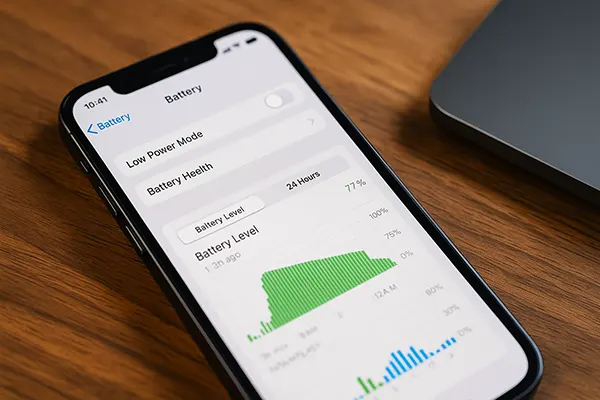
iOS 19 provides more detailed insights into how applications and services consume energy. The Battery section displays expanded hourly breakdowns and highlights specific activities that cause peaks, enabling users to adjust habits accordingly. This level of transparency helps identify apps that frequently wake the system, use location services unnecessarily or trigger excessive network requests.
The adaptive charging mechanism has also been strengthened. Instead of maintaining a full charge for extended periods, iOS 19 delays the final part of charging until closer to the time it expects the device to be actively used. This reduces chemical stress on the battery and supports long-term health, particularly for users who charge overnight.
Furthermore, users have greater control over Low Power Mode scheduling. The feature can be set to activate automatically below a chosen battery percentage, as well as during specific time periods. This flexibility allows individuals to tailor energy-saving rules that match their daily routines.
Optimising Display and Connectivity Settings
The display remains one of the main energy-consuming components on iPhones and iPads. With iOS 19, Apple expands automatic brightness calibration, allowing the device to react more accurately to diverse lighting conditions. Reducing peak brightness levels and enabling True Tone helps minimise unnecessary power usage without compromising readability.
Another approach involves adjusting refresh rates. Devices equipped with ProMotion technology can now lower refresh rates more aggressively when interacting with static content. This reduces power draw during reading, messaging or browsing sessions where higher frame rates offer little practical benefit.
Connectivity settings also play a major role. Managing 5G usage, disabling mobile data in areas with poor coverage and turning off unused wireless interfaces provide noticeable improvements. iOS 19 makes these processes easier with context-based recommendations that appear in Settings when the system detects inefficient patterns.
Practical Interface Adjustments for Lower Consumption
Users may reduce system strain by simplifying certain visual functions. Disabling motion effects, limiting background app refresh for selected apps and shortening screen auto-lock intervals all contribute to a more balanced energy profile. These changes allow users to maintain functionality while reducing visual tasks that require constant GPU and CPU activity.
Dark Mode continues to provide measurable benefits on devices with OLED screens. Since dark pixels consume less power than bright ones, extended use of darker interfaces helps preserve battery life when browsing, reading or messaging. Although the savings vary, they accumulate noticeably over long sessions.
Widgets and animated wallpapers may also influence resource usage. Minimising the number of constantly updating widgets and opting for static wallpapers helps maintain consistent performance, especially on devices approaching the end of their battery lifespan.
Managing Apps and Background Processes
Many energy-saving opportunities lie within app behaviour. iOS 19 detects when apps overuse background services and generates recommendations for limiting permissions. These suggestions appear in Settings and are based on real-time monitoring rather than general assumptions, improving their reliability.
Location services represent a clear example. Setting apps to use location only when active prevents unnecessary GPS activity. Similarly, revoking access to Bluetooth for apps that do not require it avoids constant scanning for nearby devices. These changes are particularly effective for social media, shopping and entertainment apps that frequently run background checks.
Another option involves reviewing notifications. Each alert wakes the screen, consumes power and may start background processes. Restricting notifications to essential apps helps reduce interruptions and keeps energy usage controlled throughout the day.
Storage, System Maintenance and Long-Term Battery Health
Maintaining sufficient free storage ensures that the system does not spend excessive time processing large caches or fragmented data. iOS 19 includes tools that automatically remove temporary files and optimise system storage, reducing the workload on the processor and flash memory.
Regular system updates contribute to long-term efficiency. Apple frequently introduces minor improvements that refine energy consumption, address bugs and optimise battery performance. Keeping the device updated ensures access to the latest system-level enhancements and stability improvements.
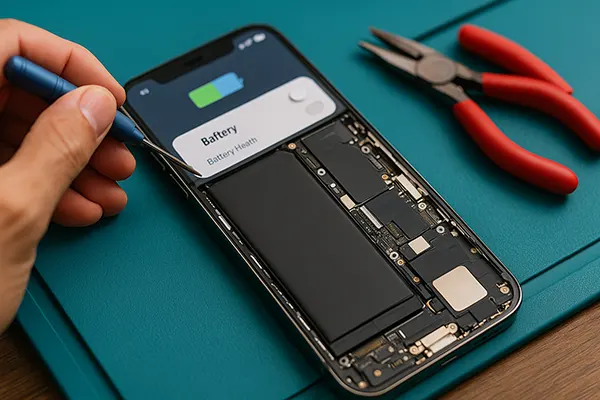
Finally, understanding battery health is essential for consistent performance. iOS 19 continues to provide accurate battery health metrics and recommendations for calibration or service when capacity becomes significantly reduced. Acting on these suggestions helps maintain reliability as the device ages and prevents unpredictable shutdowns associated with degraded batteries.