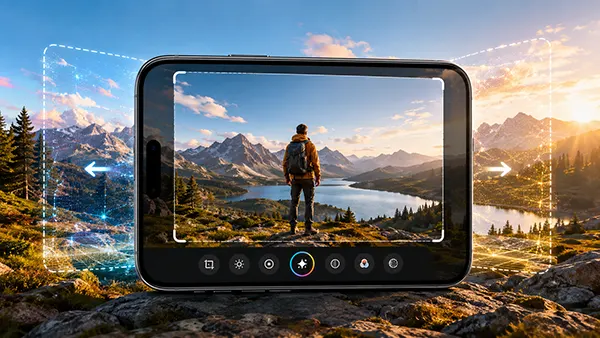
iOS 26 Liquid Glass: What Will Change in the iPhone Interface
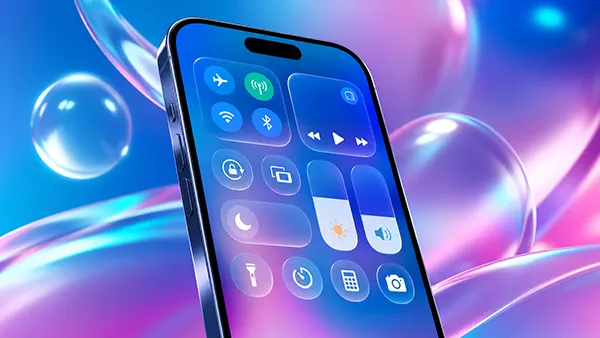
The concept of “Liquid Glass” in iOS 26 reflects Apple’s ongoing shift towards more responsive and visually layered interfaces. Rather than focusing only on appearance, this update is expected to combine depth, motion, and adaptive transparency to improve everyday interaction with the iPhone. The goal is simple: make the system feel faster, clearer, and more intuitive without overwhelming the user with unnecessary visual effects.
Core Principles Behind Liquid Glass in iOS 26
Apple has gradually moved away from flat design in favour of subtle depth and layering. Liquid Glass continues this direction by introducing interface elements that react to light, movement, and context. Instead of static panels, menus and overlays are expected to feel more fluid, as if they exist within the same visual space as the content behind them.
One of the key ideas is adaptive transparency. System elements such as notifications or the Control Centre may automatically adjust their opacity depending on the background. This helps maintain readability while preserving a sense of depth, especially on OLED displays where contrast plays a crucial role.
Another important aspect is dynamic motion. Animations in iOS 26 are expected to respond more precisely to user gestures. Transitions between screens, opening apps, and switching tasks may feel more natural, reducing the sense of delay and making interactions smoother overall.
How Liquid Glass Differs from Previous iOS Design Approaches
Earlier versions of iOS, particularly from iOS 7 onwards, focused heavily on minimalism and flat elements. While this improved clarity, it removed many visual cues that helped users understand hierarchy. Liquid Glass reintroduces these cues, but in a more refined and subtle way.
Unlike older skeuomorphic designs, which tried to replicate real-world materials, Liquid Glass does not imitate physical objects directly. Instead, it uses light, blur, and layering to create a sense of depth without making the interface look outdated or overly decorative.
A key difference is also hardware awareness. The new interface is expected to scale depending on the capabilities of the device. Newer iPhones will display richer effects, while older models may use simplified visuals to maintain performance.
Interface Changes Users Are Likely to Notice
The Lock Screen and Home Screen will likely show the most visible changes. Widgets may gain depth through soft shadows and layered positioning, while icons could appear slightly translucent, blending more naturally with wallpapers.
Notifications are expected to become more refined. Instead of appearing as rigid banners, they may behave like floating panels that interact with the background. This could reduce visual clutter and make it easier to focus on important information.
System applications such as Safari and Messages may also adopt new visual behaviours. Toolbars could become semi-transparent, while scrolling may introduce gentle parallax effects that improve spatial awareness without distracting the user.
Impact on Usability and Accessibility
Despite the visual changes, Apple is unlikely to compromise usability. Text clarity remains a priority, so adaptive contrast and intelligent colour adjustments will ensure readability in different lighting conditions.
Gesture navigation may become easier to understand thanks to improved visual feedback. Subtle motion effects can help users see how elements move and respond, making the interface more intuitive, especially for those unfamiliar with iOS.
Accessibility settings are also expected to expand. Users may gain more control over transparency, animation speed, and visual intensity, allowing them to customise the interface based on their preferences or needs.
Performance, Battery, and Device Compatibility
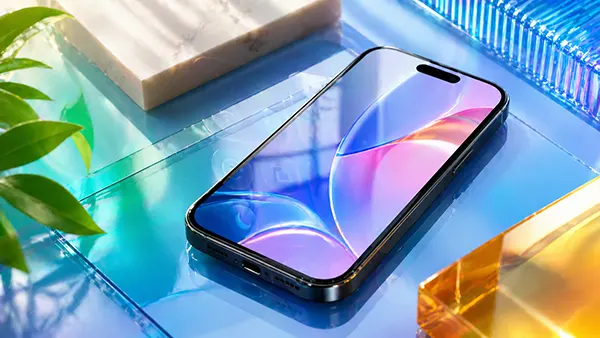
More advanced visuals naturally raise questions about performance. Apple typically addresses this by optimising its software for its own hardware. Liquid Glass is expected to rely heavily on GPU acceleration, ensuring smooth animations without significant battery drain.
On newer devices, especially those powered by recent Apple chips, these effects should feel seamless. Older models may still support iOS 26 but with reduced visual complexity to maintain stability and responsiveness.
Thermal efficiency is another consideration. Real-time visual effects can generate additional load, but Apple’s system-level optimisation should prevent noticeable overheating during everyday use.
What Liquid Glass Means for Future iOS Development
The introduction of Liquid Glass suggests that Apple is preparing for more advanced interaction models. By refining how depth and motion are presented, the company is laying the groundwork for interfaces that go beyond traditional flat screens.
Developers are likely to receive updated tools to implement similar visual effects in their applications. This could lead to a more consistent design language across the entire ecosystem, improving the overall user experience.
In the long run, these changes may connect with broader developments such as augmented reality and spatial interfaces. Liquid Glass is not just a visual update — it represents a shift towards interfaces that feel more responsive, natural, and integrated with user behaviour.