Check In and Find My on iPhone: Practical Safety Tools for Travel and Everyday Life
Modern iPhones include built-in features designed not just for convenience, but for personal safety. Two of the most useful are Check In and Find My, which allow users to share their location, confirm safe arrivals, and stay connected with trusted contacts. As of 2026, these tools have become more reliable and widely used, particularly by travellers, commuters, and families. Understanding how they work in real situations can help reduce uncertainty, improve coordination, and provide reassurance without relying on third-party apps.
How Check In Works and When It Is Most Useful
Check In is part of Apple’s Messages ecosystem and is designed to notify selected contacts when you arrive at a destination. When activated, it shares your live location, route progress, and expected arrival time. If your journey is delayed or interrupted, the system automatically updates the recipient, and if you stop responding, it can share additional data such as last known location, battery level, and network status.
This feature is particularly relevant during solo travel, late-night commutes, or unfamiliar routes. For example, when taking a taxi or walking through a new city, Check In provides passive monitoring without requiring constant messaging. The process is simple: select a contact, choose a destination, and confirm the session. The system handles the rest in the background.
From a practical perspective, Check In reduces the need for frequent check-up messages such as “I’ve arrived” or “I’m on my way”. It creates a structured and automatic communication flow, which is especially helpful when travelling across time zones or moving through areas with unstable connectivity.
Key Settings and Privacy Considerations for Check In
Check In offers two levels of data sharing: limited and full. Limited sharing includes location and route progress, while full sharing adds diagnostic information if something goes wrong. Choosing the right level depends on the situation. For everyday commuting, limited sharing is usually sufficient, while full sharing may be more appropriate during long-distance travel.
Privacy remains central to how Check In operates. Data is encrypted end-to-end, meaning only the selected contact can access it. Apple does not store or access this information. Users also have full control over when the feature starts and stops, ensuring it does not run continuously in the background without consent.
To use Check In effectively, it is important to keep location services enabled and ensure that both sender and recipient have compatible iOS versions. As of 2026, the feature is fully integrated into iOS updates, making it stable and easy to access directly from the Messages interface.
Find My: Tracking Devices and People in Real Time
Find My combines several functions into one system: locating devices, sharing location with contacts, and tracking items through AirTag integration. It works across iPhone, iPad, Mac, Apple Watch, and supported accessories, creating a unified network that helps users stay aware of their belongings and companions.
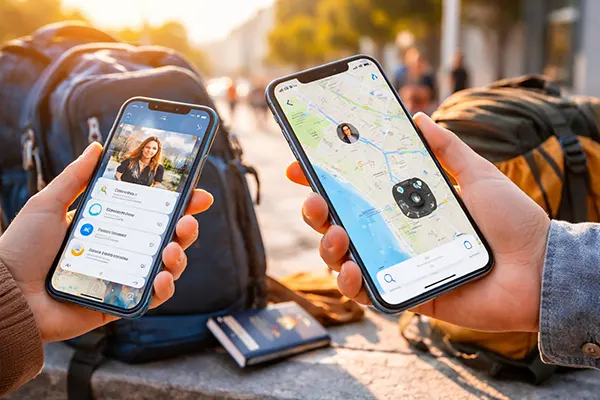
In travel scenarios, Find My is often used to track luggage with AirTags or to monitor the location of family members in crowded places such as airports or city centres. The system updates location in near real time and uses a vast network of Apple devices to improve accuracy, even when the tracked item is offline.
For everyday use, Find My simplifies coordination between friends and family. Instead of asking “Where are you?”, users can quickly check shared locations. This is particularly useful for parents monitoring children’s routes to school or for coordinating meetups in busy areas.
Advanced Features of Find My in 2026
Recent updates have improved precision finding, allowing users to locate nearby devices with directional guidance and distance indicators. This is especially helpful when searching for misplaced items at home or in public spaces. The interface provides clear visual cues, reducing the time needed to locate objects.
Another important addition is separation alerts. Users can set notifications to be alerted if they leave an item behind, such as a bag or wallet with an AirTag. This feature is particularly valuable during travel, where distractions can easily lead to lost belongings.
Find My also supports location sharing with multiple contacts simultaneously. This is useful for group travel, where several people can see each other’s positions without constant messaging. The system remains flexible, allowing users to stop sharing at any time with a single action.

Combining Check In and Find My for Better Personal Safety
While both features are useful individually, their real value appears when used together. Check In provides structured journey monitoring, while Find My offers continuous location awareness. For example, a traveller can start a Check In session for a specific trip while also sharing their live location via Find My for broader visibility.
This combination is particularly effective in unfamiliar environments. If a Check In session fails to complete, the recipient can immediately switch to Find My to see the last known location and movement pattern. This layered approach improves response time in case of unexpected situations.
In everyday life, combining these tools helps maintain a balance between independence and safety. Users can move freely while still giving trusted contacts enough visibility to respond if needed. This is especially relevant for students, remote workers, and people who frequently travel alone.
Practical Tips for Daily Use and Travel Scenarios
Before travelling, it is worth checking that location services, mobile data, and battery optimisation settings are configured correctly. Low battery or restricted background activity can affect how both features function. Keeping devices updated also ensures compatibility with the latest improvements.
It is advisable to select trusted contacts carefully. These should be people who understand how the features work and can respond appropriately if they receive a notification. Clear communication beforehand helps avoid confusion or unnecessary concern.
Finally, these tools should be seen as part of a broader safety approach rather than a complete solution. They are most effective when combined with basic precautions such as sharing travel plans, keeping emergency contacts accessible, and staying aware of surroundings. Used correctly, Check In and Find My provide a reliable layer of digital support without adding complexity.