Can an iPhone Replace a Document Scanner: Testing 5 Popular Scanning Apps
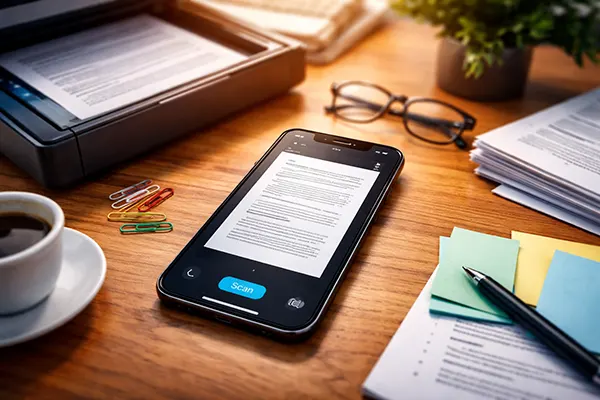
For many years document scanning required a separate office device. Today, however, modern smartphones include advanced cameras, image processing algorithms and specialised software capable of producing high-quality digital copies. The iPhone is often considered one of the most capable devices for this task thanks to its powerful camera system and integrated text recognition features. In 2026, a growing number of professionals, students and small business owners rely on mobile scanning instead of traditional scanners. This article examines whether an iPhone can realistically replace a dedicated document scanner by testing five widely used scanning applications and analysing their strengths, limitations and real-world usability.
How the iPhone Handles Document Scanning in 2026
The camera system in modern iPhones plays a crucial role in document digitisation. Devices from the iPhone 13 onwards introduced advanced image stabilisation, improved macro focus and computational photography tools that help capture sharp and readable documents even in imperfect lighting conditions. When scanning a sheet of paper, the camera works together with software algorithms that detect edges, adjust contrast and correct perspective automatically.
Another important element is Apple’s built-in text recognition technology, known as Live Text. This feature allows the phone to recognise printed characters inside photos and convert them into selectable or searchable text. For document workflows this means that scanned pages can quickly become editable content or searchable PDFs, which significantly increases productivity for students, journalists and office workers.
iOS also includes its own document scanning tool directly inside the Notes application. While it may appear simple at first glance, this built-in feature supports automatic page detection, multi-page scanning and PDF export. For casual tasks such as scanning receipts, contracts or handwritten notes, the built-in option already covers many everyday needs without requiring third-party software.
Key Limitations Compared with Dedicated Scanners
Despite the impressive progress of smartphone cameras, several differences still separate mobile scanning from professional office equipment. Traditional scanners use flatbed technology that captures documents in perfectly even lighting conditions. This eliminates shadows, paper curvature and other imperfections that can appear when photographing documents with a handheld device.
Another limitation concerns batch scanning. Office scanners often include automatic document feeders that can process dozens of pages in seconds. With a smartphone, each page normally has to be captured individually. While modern apps offer automatic detection and rapid capture modes, scanning a large stack of papers still takes noticeably longer.
Finally, colour accuracy and archival quality can differ slightly from hardware scanners. For legal archives, publishing or high-resolution graphics, professional scanning hardware remains more reliable. However, for everyday documentation and digital record keeping, modern iPhones often deliver results that are sufficiently clear and readable.
Testing Five Popular iPhone Scanning Applications
To understand how well an iPhone can function as a scanner in real situations, five widely used applications were tested: Adobe Scan, Microsoft Lens, Scanner Pro, SwiftScan and the built-in Apple Notes scanner. Each application was evaluated based on scanning speed, text recognition accuracy, export options and ease of use.
Adobe Scan remains one of the most widely used tools due to its integration with Adobe’s document ecosystem. The application automatically detects document borders and converts images into high-quality PDFs. Optical Character Recognition (OCR) works reliably, allowing users to search text within scanned documents. Cloud synchronisation with Adobe Document Cloud also simplifies document sharing across devices.
Microsoft Lens offers a slightly different approach by integrating directly with Microsoft 365 services. It performs particularly well when scanning whiteboards, notes and printed pages. Documents can be exported to Word, PowerPoint or OneNote, making it useful for students and office environments where Microsoft tools are already part of daily work.
Performance and Image Quality Comparison
Scanner Pro, developed by Readdle, is often praised for its clean interface and fast scanning workflow. During testing it showed strong edge detection and effective automatic perspective correction. The application also provides smart file organisation tools that allow users to tag and categorise documents, which becomes valuable when storing large numbers of files.
SwiftScan, previously known as Scanbot, focuses heavily on high-quality image processing. It provides advanced filters that enhance readability, particularly for faded or low-contrast documents. The application also supports barcode and QR scanning, making it suitable for logistics, inventory tracking and administrative tasks.
When comparing final document quality, most applications produced results that were visually similar for typical office papers. The largest differences appeared in text recognition accuracy and export flexibility. Adobe Scan and Microsoft Lens delivered the most consistent OCR results, while Scanner Pro offered the fastest overall scanning workflow.
When an iPhone Is Enough and When a Scanner Is Still Better
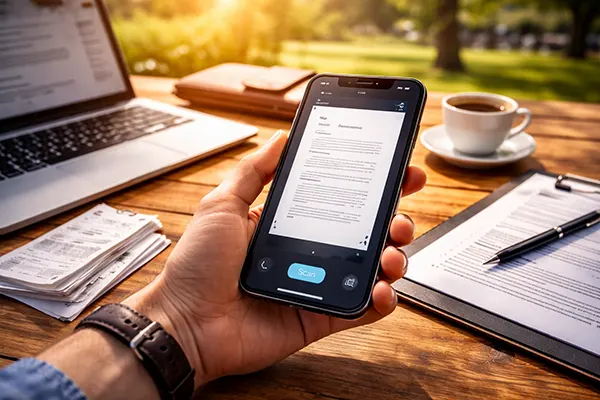
For many everyday scenarios an iPhone can easily replace a traditional scanner. Students frequently scan lecture notes and textbook pages using their phones, while freelancers use mobile scanning to digitise contracts, invoices and receipts. With modern applications, a document can be scanned, converted into a PDF and sent by email within seconds.
Small businesses also benefit from mobile scanning because it removes the need for additional hardware. Field workers, sales representatives and consultants often handle documents while travelling. In these situations the ability to scan paperwork instantly with a smartphone significantly simplifies administrative tasks.
However, certain professional tasks still favour dedicated scanners. Large archives, legal documentation projects or publishing workflows often require consistent colour accuracy and extremely high resolution. In such environments hardware scanners with automated feeders remain more efficient and reliable.
The Practical Verdict for 2026
Testing shows that the iPhone has evolved into a powerful document scanning tool. The combination of high-quality cameras, advanced image processing and mature scanning applications allows users to create clear, readable digital copies in seconds. For the majority of everyday situations, the difference between a smartphone scan and a traditional scanner is minimal.
The biggest advantage of mobile scanning lies in convenience. Because the device is always available, documents can be captured immediately rather than waiting to access office equipment. This improves efficiency for remote work, travel and personal organisation.
In practical terms, the iPhone does not fully eliminate the need for dedicated scanners, especially in large offices or professional archiving. Yet for individual users and small teams, modern scanning apps demonstrate that a smartphone can perform the same task with impressive accuracy and speed.