
VPN, iCloud Private Relay and Secure DNS: what each tool actually protects (and what to pick in 2026)
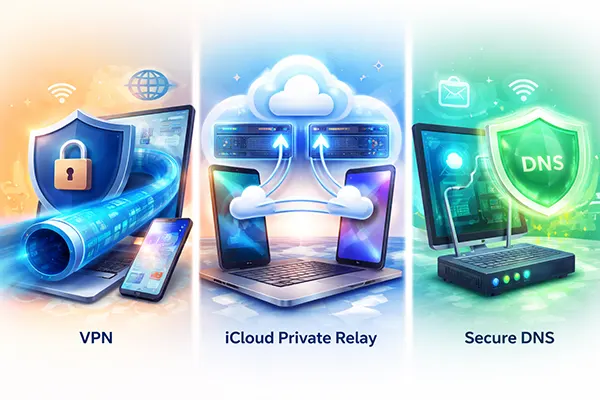
“More privacy” on a phone can mean three very different things: hiding your IP address from websites, stopping your internet provider from reading your DNS lookups, or securing all app traffic when you’re on public Wi-Fi. VPNs, iCloud Private Relay and Secure DNS are often grouped together, but they solve different problems, rely on different trust models, and come with different trade-offs in speed, compatibility and control. This guide breaks down what each option does at the network level, what it does not do, and how to choose based on your real-life scenario in 2026.
VPN: full-device tunnelling, wider coverage, higher trust demands
A VPN creates an encrypted tunnel from your device to a VPN server. From the point your traffic enters that tunnel, anyone on the local network (hotel Wi-Fi, café hotspot, workplace guest network) sees only an encrypted connection to the VPN endpoint, not the individual services you use. Because the VPN server then makes requests to the wider internet on your behalf, most websites see the VPN server’s IP address rather than your home or mobile IP.
The big practical advantage is scope: a VPN can cover nearly everything on the device, not only your browser. That matters if you use banking apps, messaging, cloud storage, work tools or anything else that transmits data outside the browser. It can also help when a service blocks insecure networks, or when you need a consistent “exit” location for corporate access rules. However, a VPN is not a magic shield: if an app is poorly designed, it may still leak identifiers at the application layer (account logins, device fingerprints, tracking IDs), even though the transport is protected.
The main cost is trust. You’re shifting visibility from your internet provider to the VPN operator. The VPN provider can typically see your source IP, connection times, and often the destinations you reach (especially if the provider also handles your DNS). Even when content is encrypted with HTTPS, metadata remains valuable. In practice, the quality bar is: transparent ownership, clear logging policy, modern protocols, and independent audits—otherwise you may simply be moving the risk rather than reducing it.
When a VPN is the right choice (and where it disappoints)
Pick a VPN when you want one switch that protects most apps on the device, especially on public Wi-Fi. It is also the simplest option when you need to secure traffic in non-Safari browsers, third-party apps, or when you frequently move between networks you don’t control. If you travel and rely on stable access to work services, a VPN can reduce friction because your traffic always leaves from the same type of endpoint.
Be realistic about performance and compatibility. A VPN adds an extra network hop and encryption overhead, which can increase latency—noticeable in video calls and gaming. Some services also flag VPN exits for fraud prevention, which may trigger extra verification or occasional blocks. If your goal is only to stop DNS snooping or to reduce simple IP-based tracking in Safari, a full VPN can be more than you need.
A VPN also will not automatically protect you from phishing, malicious downloads, or unsafe links. It can’t “clean” the internet. It protects the transport path and can mask your IP from the destination, but the moment you sign into an account, the service still knows it’s you. Treat the VPN as a network privacy tool, not an identity eraser.
iCloud Private Relay: Safari-focused privacy with a two-hop design
iCloud Private Relay is Apple’s privacy feature included with iCloud+. It is designed primarily for Safari traffic and DNS lookups, aiming to limit who can see both “who you are” and “where you’re going” at the same time. The key idea is separation: Apple and a second relay operator split knowledge so that no single party should have the full picture of your browsing requests.
Under the hood, requests are sent through two relays. The first relay is operated by Apple and can see your IP address, but it should not see the destination website name because that part is protected. The second relay is run by a third-party content provider and can see the destination in order to connect you to it, but it should only see a temporary IP address rather than your real one. The result is that websites receive traffic from an IP that broadly matches your region, not your exact location.
This design is a middle path between “no protection” and “full VPN everywhere”. It can meaningfully reduce tracking based on IP and DNS in Safari, while keeping a sensible regional mapping that avoids many of the geo-friction issues associated with far-away VPN exits. At the same time, it is not meant as a universal tunnel for all apps, and it is not positioned as a tool for choosing arbitrary exit countries.
Where Private Relay shines, and where you still need something else
Private Relay is strongest if your everyday risk is routine profiling: your internet provider seeing DNS requests, networks logging the sites you visit, and websites using IP-based signals for tracking. If most of your browsing is in Safari and you want a low-effort improvement without managing a separate VPN subscription, it is a sensible default for many Apple users in 2026.
The limits are just as important. If you rely heavily on non-Safari apps, or you need a single security control for everything leaving the device, Private Relay may not cover your primary use case. Some enterprise or campus networks also restrict privacy relays, which can break or degrade access until you adjust settings. Additionally, availability depends on local regulations; it is not offered in certain countries.
Finally, Private Relay does not remove the need for good account hygiene. If you sign into a service, the service still connects your activity to your account. Private Relay reduces network-level exposure, but it does not replace strong passwords, phishing awareness, or device security updates.
Secure DNS: encrypted lookups, not a traffic tunnel
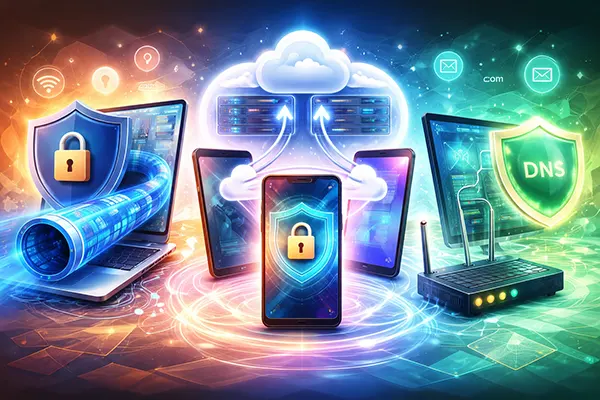
Secure DNS usually means DNS over HTTPS (DoH) or DNS over TLS (DoT). Traditional DNS can expose the domains you request to anyone who can observe the network path, including your internet provider and some Wi-Fi operators. DoH/DoT encrypt those DNS queries between your device (or your router) and the DNS resolver, which reduces easy DNS snooping and some types of manipulation.
It’s crucial to understand the scope: Secure DNS protects name lookups, not your full connection. Your actual web traffic still goes directly to the destination (typically over HTTPS), and your IP address is still visible to the services you contact. So Secure DNS is best seen as one layer in a stack, not a replacement for a VPN or Private Relay.
There is also a trust trade-off: instead of using your internet provider’s DNS, you’re typically choosing a specific resolver operator. That operator may have its own privacy policy, logging practices, and filtering features. If you configure DoH/DoT at router level, it can improve privacy for the whole household, but it also centralises DNS visibility in one chosen resolver—so picking a reputable, transparent provider matters.
How to choose between DoH and DoT, and when Secure DNS is “enough”
DoT runs on a dedicated port (853), which can be easier for network administrators to identify and manage, but also easier for restrictive networks to block. DoH runs over HTTPS (often port 443), blending in with normal web traffic and typically working in more places. For most everyday users, DoH is the simpler “it just works” option, while DoT can be attractive when you want clearer separation and control at the network edge.
Secure DNS can be enough when your main concern is preventing casual logging of the domains you look up—particularly on mobile networks or shared Wi-Fi—while you’re comfortable with websites still seeing your IP. It’s also useful as a baseline improvement on home routers, where you want better privacy for all devices without running VPN software everywhere.
If you’re deciding between the three tools: Secure DNS is the lightweight step; Private Relay is Safari-focused privacy with a split-relay approach; a VPN is the broadest option that covers most apps but asks you to trust the VPN operator. In practice, many people pair Secure DNS with either Private Relay or a VPN, depending on whether their main work happens in Safari or across many apps.